

Cyber Security Program
Transform your career with the Tech Learniversity Cyber Security Program — gain hands-on skills in ethical hacking, penetration testing, SOC operations, digital forensics, cloud security, and threat detection to protect organizations from evolving cyber threats.
- Home Main
- Cyber Security Program
Course Details
From: Tech Learniversity
Start Day: Coming Soon
Project Duration: 100 Hours
Get in Touch with Tech Learniversity
Call us directly or email us!
Address Business
Hindustan C. Bus Stop,
Lal Bahadur Shastri Rd,
Gandhi Nagar, Vikhroli West,
Mumbai - 400079,
Maharashtra, India
Contact With Us
HR: (+91) 70217 89240
business@techlearniversity.com
hr@techlearniversity.com
Working Time
Holiday : Closed

Cyber Security Program
This Cyber Security Program focuses on the full lifecycle of protecting systems, networks, applications, and data. Participants gain hands-on skills in networking, ethical hacking, penetration testing, blue teaming (defense), digital forensics, governance/compliance, and modern security tools (SIEM, EDR, WAF, DLP, cloud security). By completing this program, learners will be able to detect, prevent, and respond to cyber threats and support secure operations in real-world environments.
Course Type
Mode: Online Live Instructor-led Training
Duration
100 Hours
Requirements
– A computer (Windows / macOS / Linux) with at least 8 GB of RAM and sufficient storage.
– Internet access for tools, labs, updates, and cloud/SIEM exercises.
– Willingness to install and configure virtual machines, security tools (Kali/Parrot, Burp Suite, Splunk, Snort, ModSecurity, etc.), and lab environments.
Pre-requisites
– Basic understanding of computers and the internet.
– Basic familiarity with operating systems and networking is helpful but not mandatory.
– No prior cyber security or programming experience required—concepts ramp from fundamentals to advanced topics.
Target Audience
– Aspiring Cyber Security Analysts, Ethical Hackers, or SOC Analysts.
– IT/Network/System Administrators wanting to move into security roles.
– Developers or DevOps engineers seeking application and cloud security skills.
– Students or fresh graduates interested in cyber security careers.
– IT managers who want a practical, integrated view of offensive and defensive security.
Career and Future Prospects
Graduates can explore roles such as:
– Cyber Security Analyst
– SOC Analyst / Security Operations Engineer
– Vulnerability Assessment & Penetration Tester
– Information Security Engineer
– Incident Response Analyst / Digital Forensic Analyst
– Security Engineer – Cloud / Network / Application (with further specialization)
With experience, professionals can grow into:
– Senior Security Engineer
– Security Architect (AppSec, Cloud, or Enterprise)
– Red Team Lead / Blue Team Lead
– GRC Specialist / Security Manager / CISO track roles
Demand for cyber security talent is strong globally, with continued growth in both technical and leadership positions.
Designation/Title
Common job titles after completing this program include:
– Junior Security Analyst
– Cyber Security Analyst
– SOC Analyst
– Penetration Tester (Junior)
– Information Security Engineer
– Security Operations Engineer
Course Fee
INR. 40000
Curriculum
– Introduction to Networks
– Types of Networks
– Types of Topologies
– IP address
– OSI layers, ports and protocols
– Three-way handshake
– Networking Devices
– Virtualization
– Cloud computing
– Authentication and Access Control
– Sniffing
– Cryptography
– DOS/DDOS
– Elements of information security
– Motives, goals and objects of information security attacks
– Types of Hackers
– Classification of attacks
– Passive attacks
– Active attacks
– Close-in-attacks
– Insider attacks
– Information warfare
– Command and control warfare
– Psychological warfare
– Hacker warfare
– Cyber warfare
– Defensive information warfare
– Offensive information warfare
– Cyber kill chain concepts
– Reconnaissance
– Weaponization
– Delivery
– Exploitation
– Installation
– Command and control
– Actions on objectives
– MITRE ATT&CK
– Initial access
– Execution
– Persistence
– Privilege Escalation
– Defense Evasion
– Credential Access
– Discovery
– Lateral movement
– Collection
– Exfiltration
– Impact
– Influence
– Phases of Ethical Hacking
– Reconnaissance
– Scanning and Enumeration
– Gaining access
– Social engineering
– Phishing
– Hacking web servers
– Hacking network
– Hacking mobile platforms
– Windows Login Bypass
– Maintaining access
– Clearing tracks
– Reporting
– Cyber Security framework
– NIST
– ISO 27001
– SOC2
– Vulnerability and penetration testing
– Types of Penetration testing
– White Box testing
– Black Box testing
– Grey Box testing
– Phases of penetration testing
– Penetration testing process and reporting
– VAPT methodologies
– OWASP Top 10
– SANS
– CAPEC
– Web application concepts
– Introduction to web applications
– Web application architecture
– Vulnerability stack
– Web application threats
– SQL injection
– HTML injection
– Text injection
– Broken authentication
– Session id in URLs
– Password exploitation
– Timeout exploitation
– Sensitive data exposure
– XML external entity
– Broken access control
– Insecure direct object reference
– Missing function level access control
– Security misconfiguration
– Unvalidated inputs
– Parameter/form tampering
– Improper error handling
– Insufficient transport layer protection
– Server software flaws
– Enabling unnecessary services
– Improper authentication
– Unpatched security flaws
– Server configuration problems
– Cross site scripting (XSS)
– DOM
– Reflected
– Stored
– Directory traversal
– Unvalidated redirects and forwards
– Cross site request forgery (CSRF)
– Session Hijacking
– Insecure Design Flaws
– No Rate Limiting
– Parameter Tampering
– File Upload Vulnerability
– LFI (Local File Inclusion)
– SSRF (Server Side Request Forgery)
– CORS
– Exposed Source Code
– Metadata files
– Web application hacking methodology
– Footprint web infrastructure
– Analyse web applications
– Bypass client-side controls
– Attack authentication mechanisms
– Attack authorization schemes
– Attack access controls
– Attack application logic flaws
– Attack shared environments
– Attack database connectivity
– Attack web application clients
– Attack web services
– Identify attack surface
– Brute force
– Fuzzing
– Invalidate input attacks
– Malicious input attacks
– Insecure SSL configuration
– Overview of APIs
– What is an API?
– Types of APIs (REST, SOAP, GraphQL)
– API security concerns
– Common Vulnerabilities
– Injection attacks (SQLi, XSS)
– Authentication and authorization flaws
– Information disclosure
– Rate limiting and brute force attacks
– Testing Methodology
– Reconnaissance and information gathering
– Authentication and session management testing
– Data validation testing
– Business logic testing
– Fuzzing APIs
– Introduction to Cloud Computing
– Cloud service models (IaaS, PaaS, SaaS)
– Cloud deployment models (Public, Private, Hybrid)
– Cloud Security Concepts
– Shared responsibility model
– Identity and Access Management (IAM)
– Virtualization security
– Data protection in the cloud
– Common Vulnerabilities
– Misconfigured cloud services
– Insecure API endpoints
– Weak IAM policies
– Data leakage
– Insecure interfaces and APIs
– Testing Methodology
– Reconnaissance and enumeration of cloud assets
– Assessing IAM policies and roles
– Evaluating storage security
– Testing network configurations
– Analysing application security
– Overview of Network Infrastructure
– Network components and architecture
– Common network services and protocols
– Security controls and defence mechanisms
– Common Vulnerabilities
– Open ports and services
– Weak passwords and default credentials
– Outdated software and unpatched systems
– Misconfigurations
– Vulnerabilities in network devices
– Testing Methodology
– Reconnaissance and information gathering
– Scanning and enumeration
– Exploitation of vulnerabilities
– Post-exploitation and lateral movement
– Reporting findings- Overview of Network Infrastructure
– Network components and architecture
– Common network services and protocols
– Security controls and defence mechanisms
– Common Vulnerabilities
– Open ports and services
– Weak passwords and default credentials
– Outdated software and unpatched systems
– Misconfigurations
– Vulnerabilities in network devices
– Testing Methodology
– Reconnaissance and information gathering
– Scanning and enumeration
– Exploitation of vulnerabilities
– Post-exploitation and lateral movement
– Reporting findings
– Setting up Hacking environment
– Getting started with Android
– Android Basics
– OWASP TOP 10 (Mobile)
– Static Analysis
– Dynamic Analysis
– Setting up Hacking environment
– Passive Information Gathering
– Active Information Gathering
– Exploitation
– Post Exploitation
– Introduction to SOC
– SOC requirement for organizations
– Introduction to SIEM
– SIEM Architecture
– Logs and events
– Log Baselining
– Aggregation and normalization
– Event collection and correlation
– Correlation rules
– SOC workflows and playbooks
– Incident Response
– Incident Response Plan
– Purpose of Incident Response Plan
– Requirements of Incident Response Plan and Preparation
– Incident Response Life Cycle
– Incident Response and Handling
– Incident Management
– Incident Response Team
– Introduction to Event Logs
– Event Log Analysis
– Authentication Event Logs
– Windows Scheduled Tasks Event Logs
– Windows Services Event Logs
– Account Management Events
– Event Log Manipulation
– Windows Firewall Event Logs
– Windows Defender Event Logs
– PowerShell Command Execution Event Logs
– Splunk Basic Configurations
– Splunk Indexes and searching
– Using Fields in Searches
– Saving and Scheduling Searches
– Reports, Alerts and Dashboards
– Creating and Using Macros
– Workflow
– Splunk Search Commands
– Correlating Events
– Creating and Using Lookups
– Pivot
– Risk Investigation and Network Monitoring
– Threat Intelligence
– Introduction to Azure
– Setting up Microsoft Sentinel
– Data Collection and Ingestion
– Data Storage and Management
– Threat Detection
– Incident Investigation and Response
– Automating Responses with Playbooks
– Threat Intelligence Integration
– Monitoring and Reporting
– Introduction to intrusion detection systems
– Types of intrusion detection systems
– Network-based intrusion detection system
– Host-based intrusion detection system
– Types of IDS alerts
– True positive
– False positive
– False negative
– True negative
– SNORT
– Introduction to IDS and IPS
– Snort Architecture
– Snort as IDS
– Snort as IPS
– Snort installation in the network
– Promiscuous mode
– Snort configuration
– Snort rules and syntax
– Creating basic rules
– Run Snort
– Snorpy usage
– IDS evasion techniques
– False positive generation
– Time-to-live attacks
– Invalid RST packets
– Encryption
– Flooding
– Demilitarized zone
– Types of firewalls
– Hardware firewalls
– Software firewalls
– Firewall technologies
– Packet filtering
– Circuit-level gateways
– Application-level firewall
– Stateful multilayer firewall
– Application proxies
– Virtual private network
– Network address translation
– ModSecurity
– Introduction to WAF
– ModSecurity installation
– Enable ModSecurity module
– Configuration
– Creating Custom Configuration file
– Enabling Custom Configuration file
– Rule sets
– Test Configuration and Server Restart
– Testing
– Fine-Tuning
– Evading Firewalls
– Port scanning
– IP address spoofing
– Source routing
– Tiny fragments
– Through XSS attack
– Introduction to DLP
– Successful DLP model
– DLP Maturity model
– DLP Enforcement Policies
– DLP Information Security Analysis Techniques
– Configuration types
– Applying and Maintaining Policies
– DLP Tools
– Workforce Security Awareness
– Reporting
– Malware concepts
– Introduction to malware
– Different ways for malware to enter a system
– Instant messenger applications
– Portable hardware media/removable devices
– Browser and email software bugs
– Insecure patch management
– Rogue/decoy applications
– Untrusted sites and free web applications/software
– Downloading files from internet
– Email attachments
– Network propagation
– File sharing
– Installation by other malware
– Bluetooth and wireless network
– Common techniques attackers use to distribute malware on the web
– Black hat SEO
– Social engineered click-jacking
– Spear-phishing sites
– Malvertising
– Compromised legitimate websites
– Drive-by downloads
– Spam emails
– Components of malware
– Crypter
– Downloader
– Dropper
– Exploit
– Injector
– Obfuscator
– Packer
– Payload
– Malicious code
– Advanced persistent threat (APT)
– Characteristics
– Objectives
– Timeliness
– Resources
– Risk tolerance
– Skills and methods
– Actions
– Attack origination points
– Numbers involved in the attack
– Knowledge source
– Multi-phased
– Life-cycle
– Preparation
– Initial intrusion
– Expansion
– Persistence
– Search and exfiltration
– Clean-up
– Trojan concepts
– Types of Trojans
– Remote access Trojans
– Backdoor Trojans
– Botnet Trojans
– Rootkit Trojans
– E-banking Trojans
– Defacement Trojans
– Virus and worms concepts
– Introduction to viruses
– Characteristics of viruses
– Stages of virus lifecycle
– Design
– Replication
– Launch
– Detection
– Incorporation
– Execution of the damage routine
– Types of viruses
– System or boot sector virus
– File virus
– Multipartite virus
– Macro virus
– Cluster virus
– Stealth/tunnelling virus
– Encryption virus
– Sparse infector virus
– Fileless malware concepts
– Fileless techniques used by attackers
– Phishing emails
– Legitimate applications
– Native applications
– Infection through lateral movement
– Malicious websites
– Registry manipulation
– Memory code injection
– Script based injection
– Taxonomy of fileless malware types
– No file activity performed
– Indirect file activity
– Required files to operate
– Exploits
– Hardware
– Execution and injection
– Launching fileless malware through:
– Document exploits
– In-memory exploits
– Script-based injection
– Exploiting system admin tools
– Phishing
– Maintaining persistence with fileless techniques
– Malware analysis
– Types of malware analysis
– Static malware analysis
– Dynamic malware analysis
– Reverse engineering
– Malware analysis procedure
– Preparing test bed
– Static analysis
– Dynamic analysis
– Introduction to EDR
– EDR vs AV
– CrowdStrike Falcon
– Overview of the console
– Users and Roles
– Installation
– Sensor Installation
– Troubleshooting
– Uninstalling & Sensor updates
– Sensor update Policies
– Host management
– Host Groups
– Prevention Policies
– Prevention Settings
– Custom IOAs
– Creating Custom IOAs
– Isolations
– Introduction to Phishing
– Information Gathering
– Email Header
– Email Header Analysis
– Static Analysis
– Dynamic Analysis
– Additional Techniques
– Forensic Acquisition and Triage
– Introduction to Forensic Acquisition and Triage
– Acquiring Memory Image from Windows and Linux
– Custom Image using FTK and Mounting Image for Analysis
– KAPE targets for Acquisition
– KAPE modules for Triage and Analysis
– Triage using FireEye Redline
– Acquisition and Triage of Disks using Autopsy
– Windows Disk Forensics
– SRUM Database
– Jumplists
– Recycle Bin Artifacts
– Search Index
– RDP Cache
– Thumbnail Cache
– Browser Forensics
– Introduction to Browser Forensics
– Acquisition
– Browser Artifacts
– BrowsingHistoryView
– Manual Browser Analysis
– Hindsight Framework
– Corporate Policy Violation
– Insider Threat
– Registry Forensics
– MUICache
– User Assist
– Windows TypedPaths and Search Keywords
– Internet Explorer History
– Background Activity Moderator
– Services and Startup Persistence
– USB and External Connected Devices
– Remote Desktop Connection Artifacts
– Introduction to VirusTotal
– File Analysis
– Scanning URLs
– Searching for IOC
– Key Points
– Introduction to GRC
– Definition and importance of GRC
– Components of GRC: Governance, Risk Management, Compliance
– Benefits of implementing GRC
– GRC frameworks and standards (e.g., ISO 31000, COBIT, NIST)
– Governance
– Corporate Governance
– Principles and practices
– Role of the board of directors
– Corporate policies and procedures
– IT Governance
– Aligning IT with business goals
– IT governance frameworks (COBIT, ITIL)
– Performance measurement and management
– Data Governance
– Data management principles
– Data quality and integrity
– Data governance frameworks (DAMA-DMBOK)
– Risk Management
– Risk Management Frameworks
– ISO 31000
– NIST Risk Management Framework (RMF)
– FAIR (Factor Analysis of Information Risk)
– Risk Assessment
– Identifying risks
– Risk analysis (qualitative and quantitative)
– Risk evaluation and prioritization
– Risk Treatment
– Risk mitigation strategies
– Risk transfer and acceptance
– Risk monitoring and review
– Tools and Techniques
– Risk registers
– Risk matrices
– Scenario analysis
– Compliance
– Regulatory Compliance
– Understanding regulatory requirements
– Key regulations (GDPR, HIPAA, SOX, PCI-DSS)
– Compliance audit and assessment
– Compliance Management
– Developing compliance policies and procedures
– Implementing compliance programs
– Monitoring and reporting compliance
– Compliance Frameworks
– ISO 19600
– COSO Internal Control Framework
– Integrating GRC
– Creating a Unified GRC Framework
– Benefits of integration
– Steps to integrate GRC
– Overcoming challenges in integration
– Technology and Tools for GRC
– GRC software solutions
– Automating GRC processes
– Data analytics in GRC
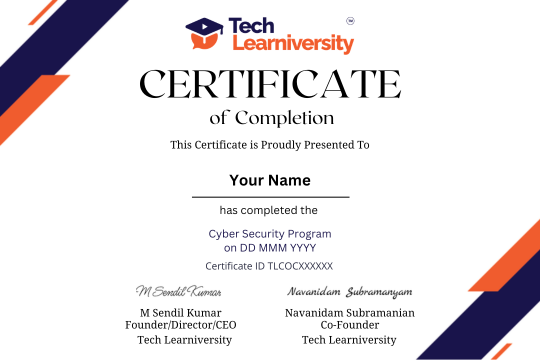
Certification of Completion
Tech Learniversity is proud to uphold ISO 9001:2015 Certified Quality Management System standards, reflecting our strong commitment to excellence and continual improvement. By adhering to globally recognized best practices, we deliver courses and services with consistent quality, reliability, and transparency.
Our QMS framework ensures that every training module—whether in Cyber Security Program—follows meticulous processes for development, review, and learner support.
Ultimately, this certification demonstrates our pledge to meet and exceed the expectations of students and industry partners, cultivating trust and long-term success in all our educational offerings.

Quality Education from Quality People
Choose Tech Learniversity for quality education from industry experts committed to empowering your success. Embark on a transformative educational journey with Tech Learniversity and unlock your potential for a brighter future. Together, we can create meaningful experiences that inspire growth, collaboration, and success!
Exceptional Student Satisfaction
Impressive Job Placement Success
Diverse Course Offerings
Global Reach
“

What Our Students Say?
More than 99% students satisfaction is our success.
Oscar Frimpong
Fiorella Reynoso Donzelli
joe riah

Billy Oscar
Program Questions
Explore common questions about the program.
What will I learn in the Cyber Security Program?
How long is the Cyber Security Program?
Do I need prior cybersecurity experience?
Will I learn ethical hacking and penetration testing?
Will I learn web and API security?
Will I learn cybersecurity defence and SOC operations?
What security tools and technologies will I gain exposure to?
Will I learn cloud security?
Will I work on practical cybersecurity projects?
What career skills can this program help me develop?
Didn’t Find the Answer? Ask us Questions
Call us directly or email us!
Address Business
Hindustan C. Bus Stop,
Lal Bahadur Shastri Rd,
Gandhi Nagar, Vikhroli West,
Mumbai - 400079,
Maharashtra, India
Contact With Us
HR: (+91) 70217 89240
business@techlearniversity.com
hr@techlearniversity.com
Working Time
Holiday : Closed
Frequently Asked Questions
How can cybersecurity skills be applied?
What is the difference between offensive and defensive security?
What industries need cybersecurity professionals?
How does the capstone project help learners?

Get in Touch with Tech Learniversity!
Build Your Career with Tech Learniversity!
Address Business
Hindustan C. Bus Stop,
Lal Bahadur Shastri Rd,
Gandhi Nagar, Vikhroli West,
Mumbai - 400079,
Maharashtra, India
Contact With Us
Email Address
hr@techlearniversity.com
Working Time
Sunday/Holiday : Closed